
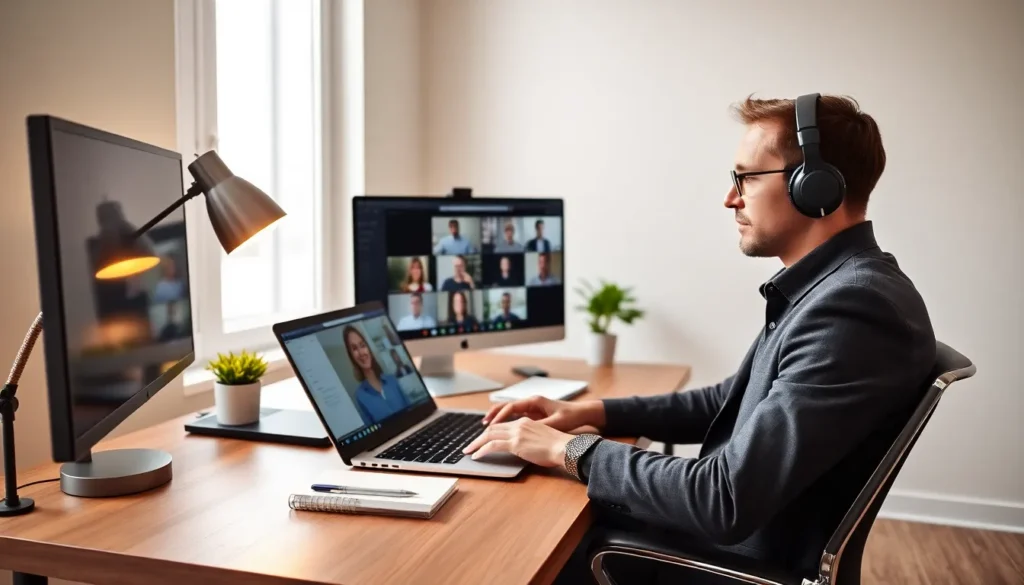
This top remote work guide covers the essential strategies professionals need to thrive outside a traditional office. Remote work has become standard for millions of employees worldwide. A 2024 Stanford study found that 27% of paid full-time workdays in the United States now happen at home. That number continues to grow.
Success in remote work requires more than a laptop and WiFi. It demands intentional habits, the right tools, and clear boundaries. This guide breaks down the key areas: workspace setup, time management, communication, and work-life balance. Each section offers practical advice that remote workers can apply immediately.
Table of Contents
ToggleKey Takeaways
- Create a dedicated workspace with ergonomic furniture and proper lighting to boost focus and prevent long-term health issues.
- Use time blocking and the Pomodoro Technique to structure your day and maintain productivity during peak energy hours.
- Master asynchronous communication and project management tools to collaborate effectively across different time zones.
- Set hard boundaries around work hours by defining a clear stop time and physically leaving your workspace.
- Protect work-life balance with daily rituals like morning walks and by turning off notifications after hours.
- Combat isolation by intentionally scheduling social interactions and prioritizing both physical and mental health.
Setting Up Your Home Office for Maximum Productivity
A dedicated workspace signals to the brain that it’s time to focus. Remote workers who share their home office with other activities, eating, watching TV, or sleeping, often struggle with concentration. The solution? Designate a specific area, even if it’s a corner of a room, exclusively for work.
Physical setup matters more than most people realize. A proper desk and ergonomic chair reduce fatigue and prevent long-term health issues. The monitor should sit at eye level, about an arm’s length away. Wrists should rest flat on the keyboard. These small adjustments prevent neck strain and repetitive stress injuries.
Lighting affects both mood and energy. Natural light improves alertness and reduces eye strain. Position the desk near a window when possible. For evening work or darker months, invest in a quality desk lamp with adjustable brightness.
Noise control can make or break a remote work setup. Noise-canceling headphones block distractions during focused work sessions. Some remote workers prefer background music or white noise apps to maintain concentration.
A reliable internet connection is non-negotiable. Aim for at least 50 Mbps download speed for video calls and file transfers. Consider a mesh WiFi system if the signal weakens in the home office area. Wired ethernet connections offer the most stable option for critical meetings.
Keep the workspace organized. Clutter creates mental friction. Use cable management solutions, file organizers, and minimal desk accessories. A clean workspace supports clear thinking, and makes video call backgrounds look professional.
Mastering Time Management and Daily Routines
Remote work offers flexibility, but that freedom can backfire without structure. The most productive remote workers build consistent daily routines.
Start the day at the same time each morning. This habit trains the body’s internal clock and creates momentum. Morning routines, exercise, breakfast, a shower, help transition from “home mode” to “work mode.” Skipping straight from bed to laptop often leads to sluggish mornings.
Time blocking is one of the most effective strategies in any top remote work guide. Assign specific hours to specific tasks. Deep work, projects requiring focus, should happen during peak energy hours. Most people hit their cognitive peak in mid-morning. Save emails, meetings, and administrative tasks for lower-energy periods.
The Pomodoro Technique helps maintain focus throughout the day. Work for 25 minutes, then take a 5-minute break. After four cycles, take a longer 15-30 minute break. This method prevents burnout and keeps energy levels steady.
Set clear boundaries around work hours. Remote workers often struggle to “clock out” because the office is always there. Define a hard stop time and stick to it. Close the laptop. Leave the workspace. These physical actions signal the end of the workday.
Track time spent on different activities for at least one week. Many remote workers discover they spend hours on low-value tasks. Time tracking reveals these patterns and highlights opportunities for improvement.
Communication Tools and Collaboration Best Practices
Remote teams rely on digital tools for every interaction. Choosing the right platforms, and using them well, determines team success.
Video conferencing builds connection. Platforms like Zoom, Google Meet, and Microsoft Teams support face-to-face conversations across distances. Turn the camera on during meetings. Facial expressions and body language prevent misunderstandings and strengthen relationships.
Instant messaging apps like Slack and Microsoft Teams handle quick questions and casual conversations. Organize channels by project or topic to keep discussions focused. Avoid the trap of constant messaging, though. Endless notifications destroy deep work.
Project management tools keep everyone aligned on deadlines and deliverables. Asana, Trello, Monday.com, and Notion help teams track progress without constant status meetings. Pick one platform and use it consistently.
Asynchronous communication works better for remote teams than real-time chat. Detailed written updates allow team members in different time zones to stay informed. They also create documentation that new team members can reference later.
Over-communication beats under-communication in remote settings. Share context that would be obvious in an office. Explain reasoning behind decisions. Announce availability changes. These habits prevent confusion and build trust.
Schedule regular one-on-one meetings with managers and colleagues. These conversations surface issues before they become problems. They also combat the isolation that remote workers sometimes experience.
Maintaining Work-Life Balance While Working Remotely
Work-life balance challenges many remote employees. The lack of physical separation between office and home blurs boundaries.
Physical rituals help create mental separation. A morning commute, even a 10-minute walk around the block, signals the start of work. An evening walk marks the transition back to personal time. These rituals replace the natural boundaries a traditional office provides.
Protect personal time fiercely. Turn off work notifications after hours. Remove work apps from the home screen on weekends. Some remote workers keep a separate phone for work or use “focus modes” to silence notifications.
Social connection suffers in remote work settings. Office small talk and lunch conversations don’t happen naturally. Remote workers must intentionally schedule social interactions. Join virtual coffee chats with colleagues. Meet friends for lunch. Participate in local community groups.
Physical health requires attention too. Remote work often means more sitting and less movement. Build exercise into the daily routine. Stand up and stretch every hour. Take walking meetings when possible.
Mental health deserves equal focus. Isolation and overwork contribute to burnout. Recognize warning signs: constant fatigue, cynicism, declining performance. Take breaks before reaching that point. Use vacation days, they exist for a reason.
Family and household responsibilities compete for attention during remote work hours. Set expectations with household members about work times. Use visual signals like a closed door or “do not disturb” sign to communicate availability.


